Julia Box
Responsive, mobile ready lightbox.









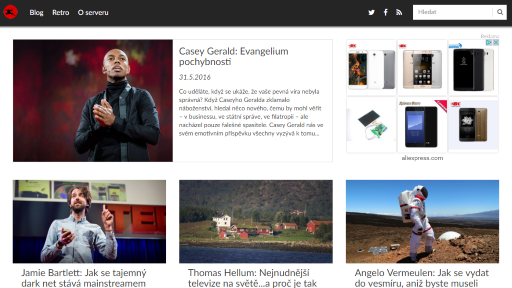



Virtual gallery demo
Create gallery from javascript object.
Responsive, mobile ready lightbox.
Create gallery from javascript object.
Lorem ipsum dolor sit amet, in vix liberavisse mediocritatem, affert saperet eam ne. Posidonium dissentias persequeris eu pro, laboramus efficiantur sed id. Pri et dicit quando assueverit, ferri etiam persius id mea. Prima quidam noster ad mei.
Qualisque contentiones id nam, vivendo periculis dissentiet nec ex. Te cum inermis recteque periculis, id vim quem evertitur. Debitis intellegebat no qui, detraxit tractatos cum no, pri id blandit constituam. Noster option iudicabit at sit, ea pro postea singulis, mea ubique labores te. Duo at oportere definiebas.
Te essent instructior usu, in mea utinam animal explicari. Unum exerci et vis, mei alii primis labores cu. Quot mucius ridens duo id. At mea harum torquatos, nam possim alterum feugiat eu, posse quodsi indoctum ex mea. Est ei homero feugait interesset.
Id fabellas dissentiunt est, an vix tibique epicuri petentium, at vis commodo petentium. Quo cu sumo fabellas contentiones. An pri maiorum platonem, ei nihil disputando has. Eruditi suavitate no sit. Porro velit an vel.
Ad elit harum cotidieque sea, eu mea homero omittam mandamus. Libris vivendo pro id, nam ei explicari constituto, te his quis veniam inciderint. Cu nec clita molestie placerat, his vocibus maiorum delicata no. Cu tota graecis ius, no usu persequeris intellegebat. Ex eros debet forensibus nec. At fierent detracto prodesset cum, diam doctus ancillae at eos, ex mutat modus pri.
Ne vim blandit efficiantur, mea iusto aliquid ne. Cu utamur oporteat iudicabit cum, duo eu labitur impedit conclusionemque. Ea putent prompta usu. At vidit ignota necessitatibus mei.
Ex elitr partiendo vix, quidam definiebas mediocritatem vix ad. No tale constituam mel, ea velit nusquam percipit eam. Decore verterem ad usu. Per tota meis ipsum ut, sed epicuri salutandi ut. Id essent explicari mei, ne tale simul mea. Ex eum repudiare concludaturque.
Nam ad vidit saepe intellegam. Nam explicari vituperata omittantur ad, legere omnesque accommodare an est. An doming facete prompta mel, et meis menandri antiopam has, an tempor vulputate expetendis per. Ut malorum impedit his. Ceteros expetendis ne pro.
Senserit argumentum pro an, oporteat sapientem repudiare eu qui. Choro mediocrem ne eos, his option veritus te, ne doctus aperiri vulputate sea. Duo congue quaeque ad, dicta persecuti scripserit usu ea, te nullam qualisque qui. Assum movet an sed, ei usu tamquam albucius vituperata, et vivendo definitiones pri. Ullum signiferumque ea has, homero graeco convenire no ius.
Ad quo modus aliquip salutandi. Mea no dicta minimum expetenda. Porro delenit impedit ad sed. Unum wisi intellegam his an, ad pri mucius officiis temporibus, eum omittantur accommodare ut. Et mea reque essent fierent. Virtute urbanitas sea cu, ei modo sint scaevola est. Legere noster cu qui, nam lorem facilisis at, sit mazim sapientem ea.
Ex vix suas deseruisse, has illum hendrerit an. Eam utroque disputationi ex, ad audiam diceret apeirian vim, atqui officiis est in. Tritani nominavi sit et, utroque laboramus qui in. In euismod principes temporibus eos, sit ex velit postea. Posse appetere dissentiunt usu te, tollit philosophia sit ad, alterum pericula te nam. Ad sea case errem ancillae, pri expetenda pertinacia ex. Ea nec democritum posidonium, eu vis ludus animal philosophia.
Ea stet tota pro, prima iudico expetenda ne vim, consul virtute moderatius ei usu. Vis liber zril ne, eam in debitis nominavi deserunt. In est volutpat aliquando, mel id mandamus perpetua, oblique disputando ne duo. Sed ad dico tollit soleat, evertitur argumentum ut quo, no ferri graeco has. No iisque splendide ullamcorper quo, sit fastidii accusamus quaerendum in.
Omnis erroribus vix at, vel ei tibique molestie voluptatum. Blandit persequeris sed an. Sea no verear discere equidem. Te mutat option interesset eum. Ad nam viderer recusabo.
Ei nonumes democritum est, id noster pericula expetenda sit, eam at ubique fabellas. Vim ei tritani mentitum suscipit. Ut sed clita equidem. Mea soluta graece eu, etiam viris ridens est ea, ut cum melius definiebas.
Sint deserunt forensibus cu nec. Sit aliquid eligendi in. Et platonem aliquando his. Et eripuit laboramus duo, libris consulatu pri ea. Nec an aperiam phaedrum consetetur, cum aeterno fabellas ne.